Themes
Other layouts for the same folder, a logo, other languages.
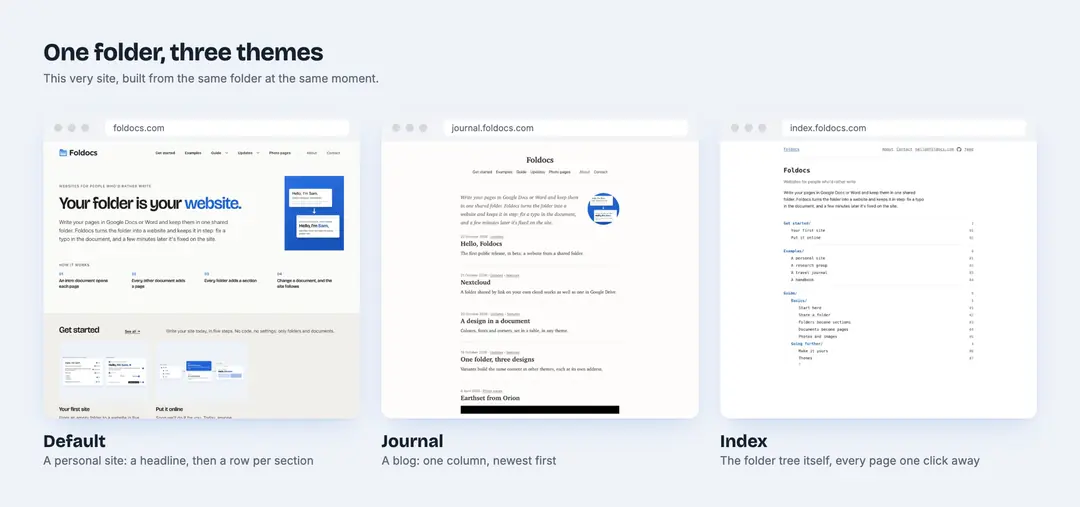
The bundled themes
Foldocs comes with three themes. All three are running on this site's folder:
| Theme | Presents the folder as | See it |
|---|---|---|
| Default | A personal site: a headline, then a row per section | foldocs.com |
| Journal | A blog: one column, newest first | journal.foldocs.com |
| Index | The folder tree itself | index.foldocs.com |
The second and third are variants: the same content, built in another theme at the same time, each at its own address. A banner says what they are, and they ask search engines not to index them, so they don't compete with the main site. Variants are useful for choosing a design with your own content in it.
Your own theme
A theme can extend another and change only what differs: a short settings file and a few lines of CSS, or templates of your own for any part of a page.
- A logo: put
logo.svg(andlogo-dark.svg) in the theme, and it replaces the name in the header, as on this site - Icons:
favicon.svgfor the browser tab,apple-touch-icon.pngfor phone home screens - A share image:
share.png, 1200 by 630, shown when someone shares a page without a picture - A verification tag:
_head.htmlgoes into every page's head - Another language: every word the templates use, from See all to the month names, is set in the theme
The README explains how. foldocs check-theme checks a theme's contrast in light and dark mode against WCAG AA.